Notes
Mermaid Syntax Cheatsheet
What is Mermaid?
Mermaid lets you write diagrams as text. The browser renders them as SVG.
How to use
Add a <pre class="mermaid"> block and load the library:
<script type="module">
  import mermaid from 'https://cdn.jsdelivr.net/npm/mermaid@11/dist/mermaid.esm.min.mjs';
  mermaid.initialize({ startOnLoad: true });
</script>
Diagram types
Flowchart
flowchart LR
    A[Start] --> B{Decision}
    B -->|Yes| C[Done]
    B -->|No| D[Retry]
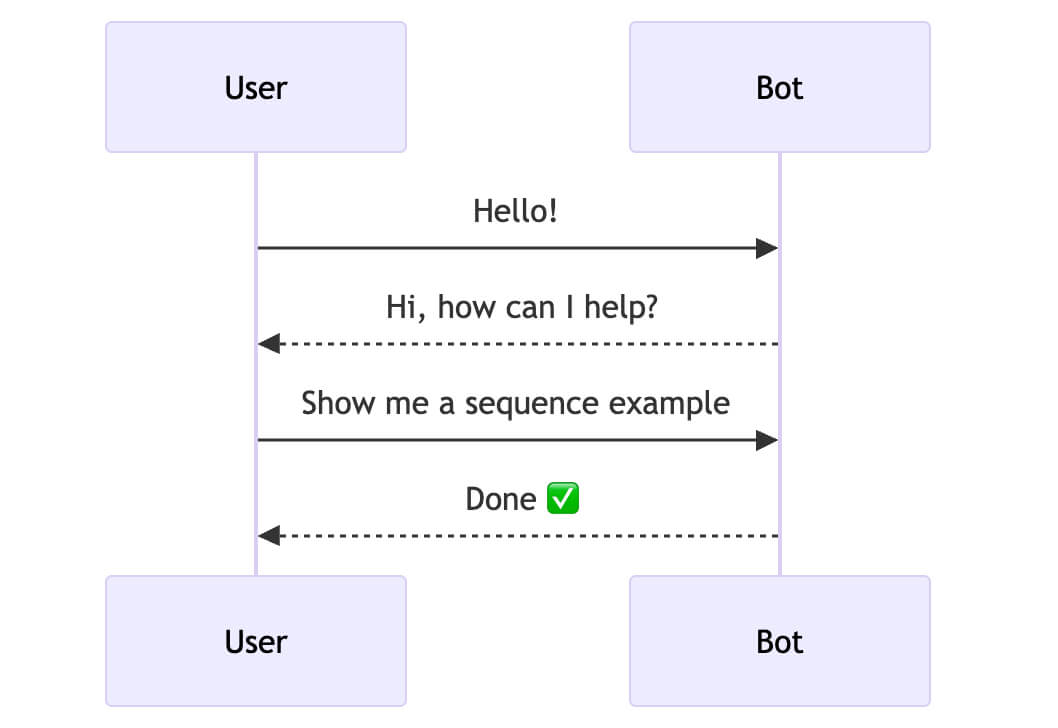
Sequence Diagram
sequenceDiagram
    participant A as Alice
    participant B as Bob
    A->>B: Hello Bob!
    B-->>A: Hi Alice!
Class Diagram
classDiagram
    Animal <|-- Dog
    class Animal {
      +name string
      +speak()
    }
State Diagram
stateDiagram-v2
    [*] --> Idle
    Idle --> Running : start
    Running --> Idle : stop
    Running --> [*] : done
Gantt Chart
gantt
    title Project Plan
    dateFormat  YYYY-MM-DD
    section Phase 1
    Design   :a1, 2024-01-01, 7d
    Dev      :a2, after a1, 14d
Pie Chart
pie
    title Browser Share
    "Chrome" : 65
    "Firefox" : 15
    "Safari" : 20
Arrow types
-->solid arrow---solid line, no arrow-.->dashed arrow==>thick arrow--ocircle end--xcross end
Node shapes (flowchart)
[text]rectangle(text)rounded{text}diamond (decision)((text))circle>text]asymmetric
Quote of the day:
Задача искусства – волновать сердца.
By den
On Feb 26, 2026